Helping doctors actually start
I improved doctor onboarding for a medical-imaging collaboration tool. The goal was to cut drop-off so more doctors reach the main product, and to stop them from making duplicate workspaces.
Visit Medicai ↗Paired w/ 1 designer
@Atta Systems
~1 month
Designed intent + measurement plan
Interaction & visual design
Cross-platform
I redesigned the onboarding flow for a medical-imaging collaboration tool. I removed friction so more doctors reach the main product, and guided them away from making duplicate workspaces.
12 → 8
invite members
duplicate workspaces
Doctors stalled before they began
Many quit partway through setup and never reached the main product. Those who got in often made duplicate workspaces instead of joining the existing one, which flooded support with deletion requests.
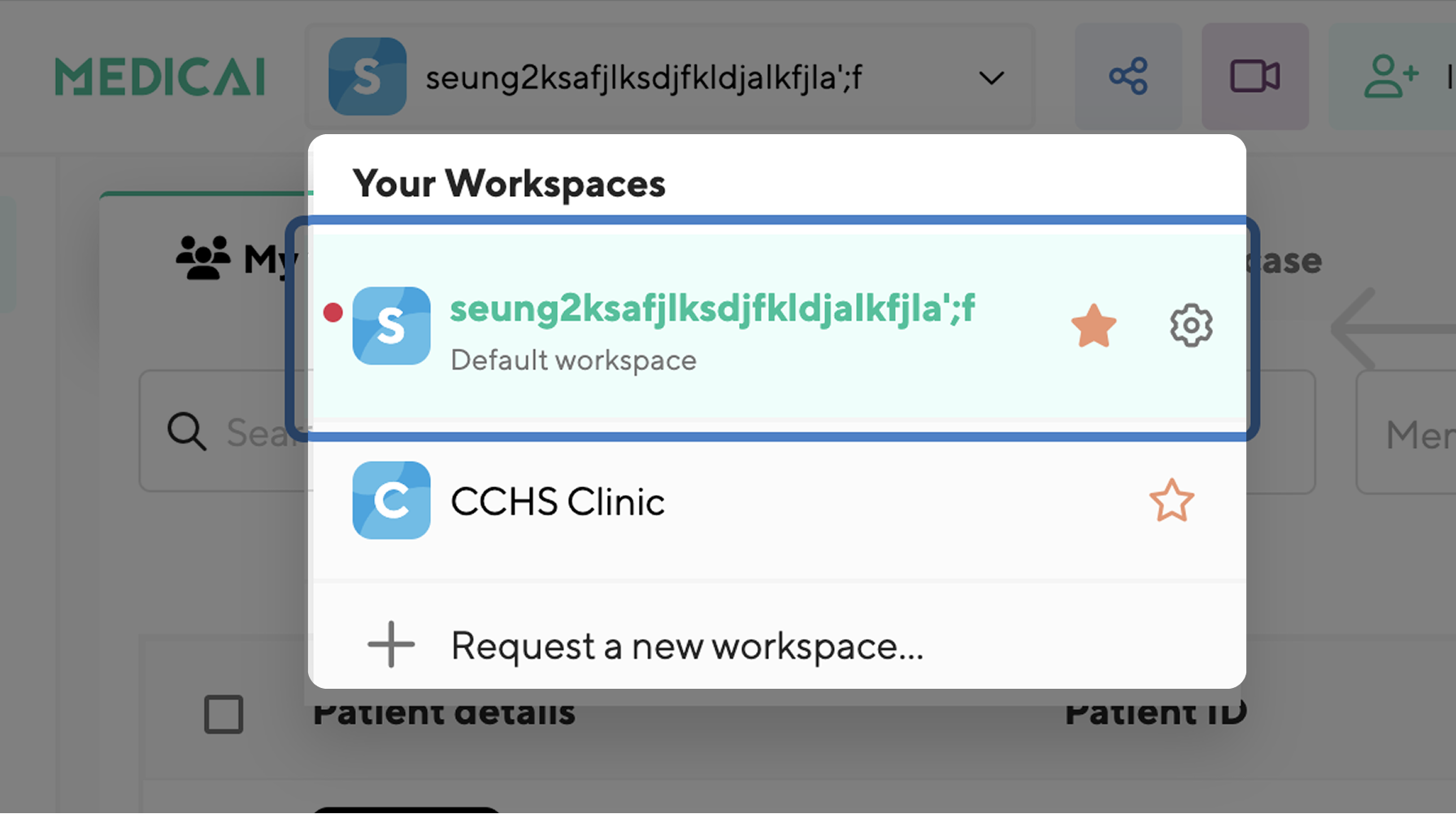
Borrowing the users I couldn't reach
I couldn't talk to doctors directly, so I compared the two data sources to find the real causes. The invite looked like spam, and the first page asked for 9 fields at once.

Earn trust, then make every step lighter
An invite doctors actually trust
Doctors mistook the invite for spam. The new version starts with names they recognize and clear info about the platform, before it asks for anything.
Nine fields, made manageable
The first page asked for 9 fields at once, and this is where most people quit. I split it into two simple steps with quick-fill suggestions.
Inviting doctors, without the chaos
A 5 Whys showed the duplicates came from admins who couldn't invite people easily at scale. The fix wasn't one screen. It was a whole access system.
Designing every path, end to end
Whether a doctor creates, joins, or requests a workspace depends on three things: their invite, their email domain, and the admin's permission setting. I mapped every path and designed each screen, down to the pending and declined states, so nothing was left undefined.
Hover over a diagram to zoom in. The lens follows your cursor.
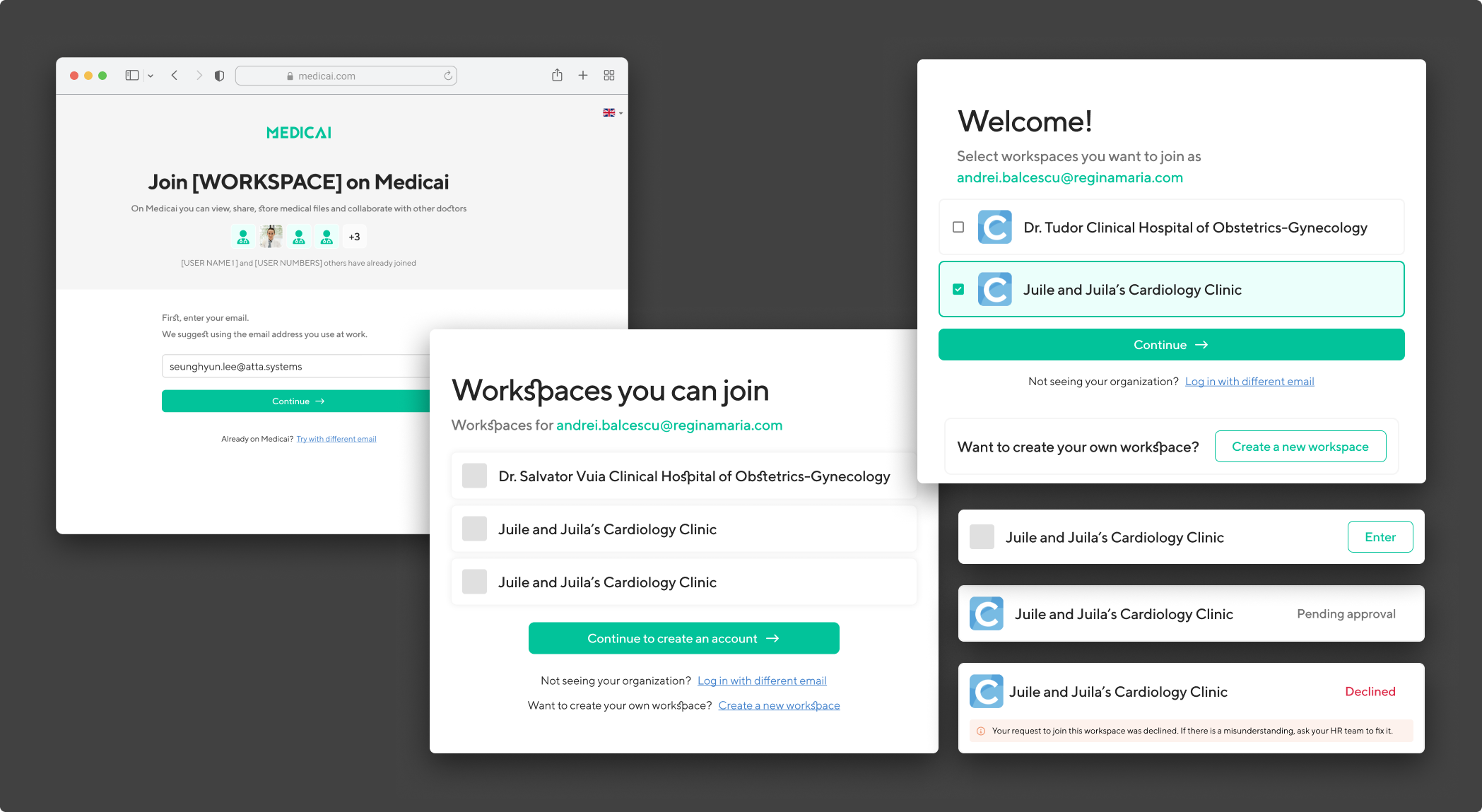
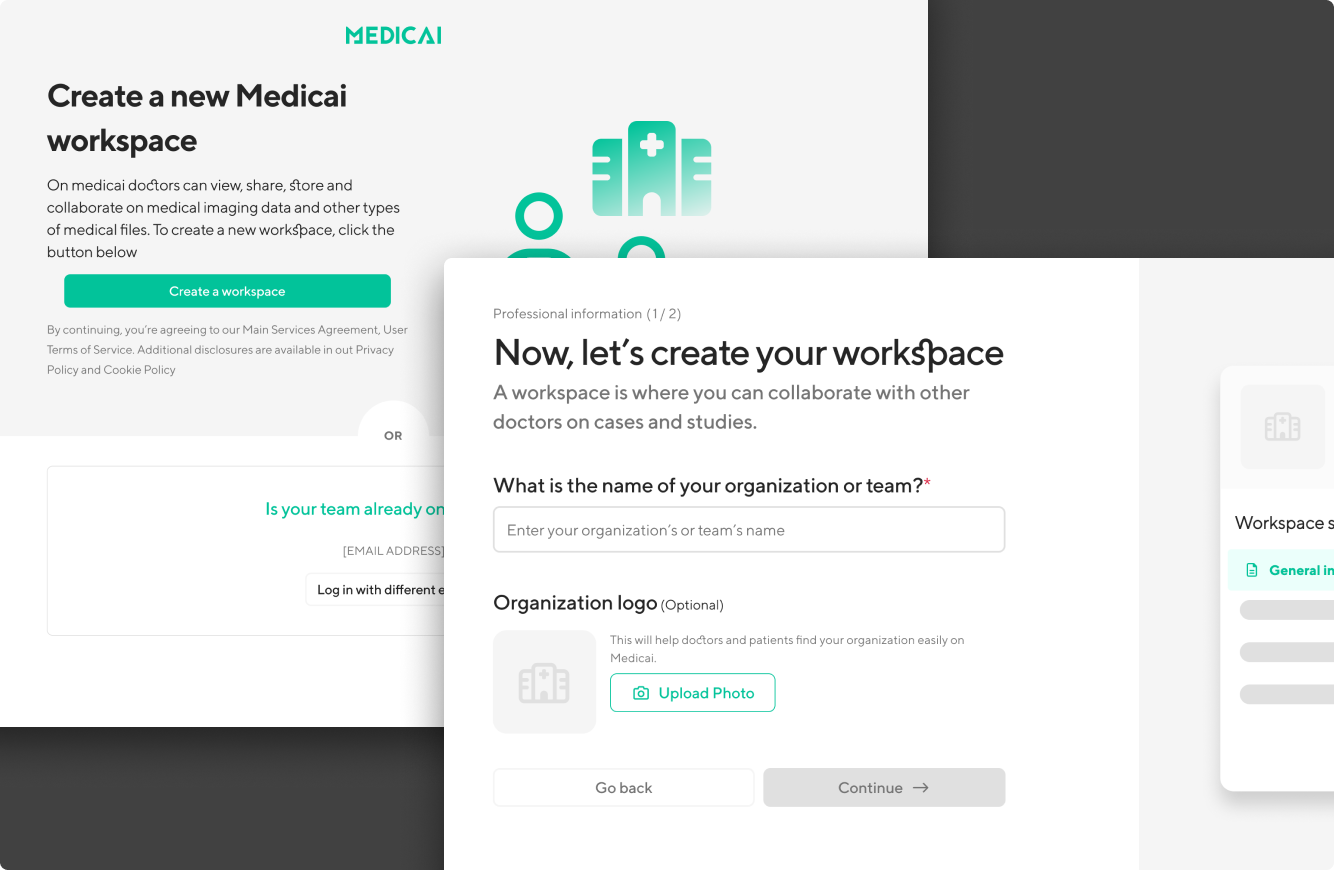
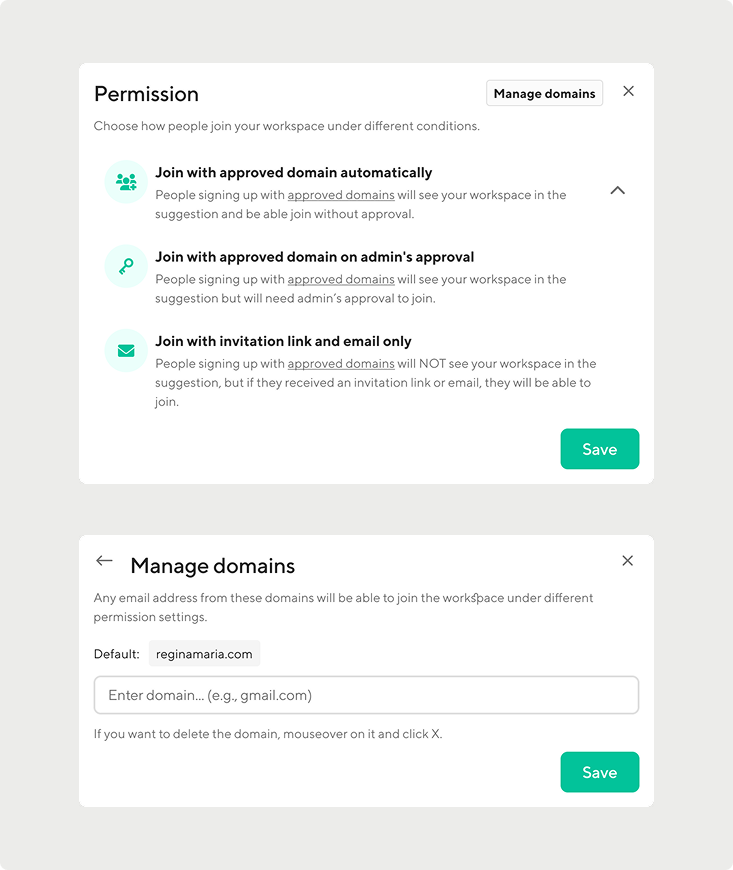
Key screens from both onboarding paths. The main screen is enlarged; states and domains are shown as detail crops.
Consistent on every screen
I designed for desktop and mobile web, one coherent experience.
What I'd measure once it ships
The redesign didn't ship. To show it really worked, I'd track these four signals, each tied to one of my starting assumptions.